Multifunction Copiers and Printers in Dallas-Fort Worth
Sharp multifunction printers (MFPs) that print, copy, scan and fax from one secure, cloud-ready device, sold, leased and serviced from our Richardson office.


Sharp multifunction copiers for Dallas-Fort Worth offices
A multifunction copier replaces a separate copier, printer, scanner and fax machine with one networked device. A1 Image is a Sharp dealer at 1819 Firman Dr #121 in Richardson with over 40 years with Sharp, and we sell, lease and service multifunction copiers and printers across Dallas, Fort Worth and the cities around them.
Every MFP we place includes free delivery, setup, networking and staff training. Call (972) 437-2320 in Dallas or (817) 502-2880 in Fort Worth, or request a quote and tell us how your office prints.
Sharp MFPs we sell and lease
| Sharp model | Color or B&W | Speed | Size | A good fit for |
|---|---|---|---|---|
| BP-70C55 / BP-70C65 | Color | 55 / 65 ppm | Full size, Advanced series | Large shared offices that print a lot of color |
| BP-50C55 / BP-50C65 | Color | Essentials series | Full size | The shared office copier for most workgroups |
| MX-C407F / MX-C507F | Color | 40 / 50 ppm | Desktop | Small offices that copy, scan and fax in color |
| MX-C357F | Color | 35 ppm | Compact desktop | A single department or front desk |
| MX-B376W / MX-B476W | Black and white | 35 / 45 ppm | Desktop, built-in wireless | Text-heavy small offices |
| MX-B557F | Black and white | 55 ppm | Desktop | Busy black and white printing in a small footprint |
| MX-M5071 / MX-M6071 | Black and white | Up to 60 ppm | Full size, used | High volume on a tight budget |
| MX-5071 / MX-6071 | Color | Up to 60 ppm | Full size, used | Fast color for less up front |
Not sure which one fits? We recommend the smallest machine that handles your monthly page count, then size the lease and service plan to match. Compare more options in our Sharp office copier guide and used Sharp MX copiers.
MFP, MFD or all-in-one printer
They are the same idea. MFP (multifunction printer), MFD (multifunction device), multifunction copier and all-in-one printer all mean one machine that prints, copies, scans and often faxes.
The difference is scale. A home all-in-one is a small inkjet for one person. An office MFP is a laser device built for a whole team, with a document feeder, password-protected address book, secure print release, scan to email and folders, and a local service plan.
- Free delivery, setup and networking
- Leases from 12 to 63 months
- Service in as little as 2 hours
- Service department open Saturdays
Top 4 Key Features to Consider When Choosing Your Copier
Graphic Capabilities
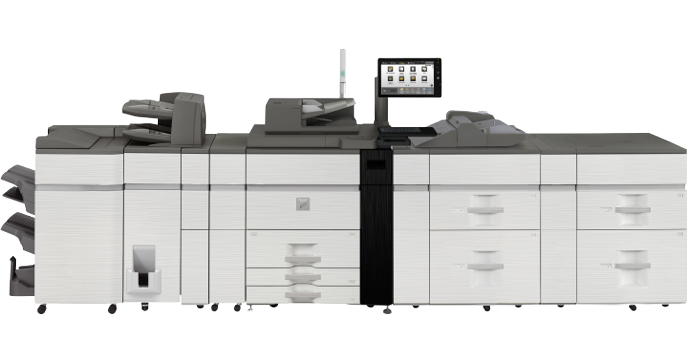
Most commonly known as multifunction or production printers, models with graphic capabilities ensure the highest resolution (2,400 x 2,400 dpi is standard) as well as color management through five-color control, for reliable and exact reproduction of source materials.
Added Functionalities
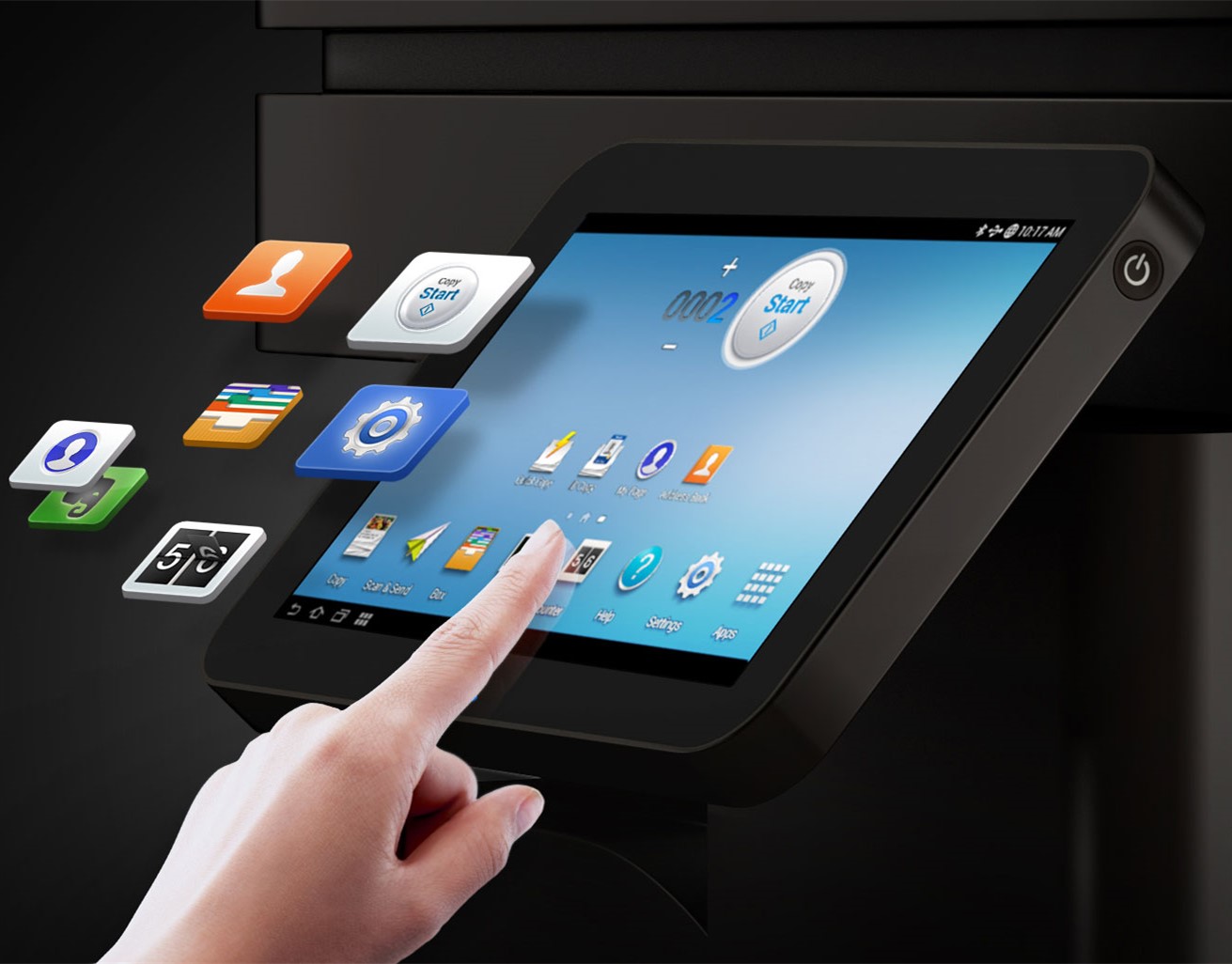
Wireless connectivity, interactive touch-screen control panels, image editing, large built-in drives for document storage and enhanced security can cut costs across your business. Skipping the ones you don’t need can reduce spending drastically.
Print Volume
Paper capacity is listed as “tray” or “cassette.” Basic digital copiers hold 100 sheets in the tray and 250 in the cassette; large-scale MFPs accommodate 500 in the tray and about 2,000 in cassettes.
Print Speed
Older models capped out around 30 ppm. Newer digital copiers print anywhere from 22 ppm on the low end up to 100 ppm on deluxe models, with faster “first copy out” times.
Sharp Multi-Functional Printer (MFP) Benefits
Internet Faxing
Securely send documents to remote email inboxes and internet fax terminals, as simple as entering an email address and pressing start.
Desktop Faxing
Transmit documents directly from desktop applications to remote fax terminals without printing, with address book and directory search from the browser.
Walk-Up Faxing
Virus-free, off-network fax line, so you always have dependable faxing even during network maintenance.
Scan to Folder
Navigate your files on the touch screen and direct documents to folders with ease.
Scan to Email
Add a file name, subject line, or brief message and your scan is on its way.
Scan Anywhere
External source scanning and storage, internal storage retrieval, hands-free automatic document feeder and simultaneous dual-sided scanning.
Address Book
Store up to 1,000 contacts with fax, email or group dial entries behind a password-protected log-in.
Copy
Stapling, hole punching, half and tri-folding, cover binding, pagination, image scaling and rotation, page numbering and watermarking.
Network, USB and other connections, universal drivers, print to internal storage, higher speeds and capacity, and higher DPI for sharper output.
About Sharp MFPs
Current-day office machines do far more than make copies. Multi-function printers (MFPs) combine the functionality of copiers, scanners and printers into one tool that expedites work and increases efficiency in the office.
Sharp offers a wide variety of MFP models with various features and speeds, from 20 pages per minute up to 70, with user-friendly features like touch screen displays, full-sized retractable keyboards and printing directly from a USB thumb drive.
Choosing the Right MFP for Your Business
Analog copiers have failed to keep pace with digital counterparts on productivity and quality. The modern copier is an all-in-one office suite: scanning, copying, printing, faxing, downloading and emailing. Choosing the right one depends on understanding the key features and the differences between the choices.
Cost of a Sharp MFP
A Sharp MFP tends to start around $1,000 for a smaller desktop model printing 20 pages per minute. A high-end model with a fully robust networking interface and on-device document management can cost around $20,000. Every other model falls in between.
Most offices lease instead of paying up front. Sharp MFPs start at $79 per month, on copier leasing terms from 12 to 63 months, with service on a separate agreement so you only pay for the pages you print.
A1 Image has a vast assortment of top-of-the-line digital copiers for any business. We offer in-house demos, the best way to test a copier and see if it is right for you. Ready to talk digital copiers? Call us at 972-437-2320.
Multifunction copiers in Dallas
Our Richardson office sits between Dallas, Plano and Garland, so Dallas and Collin County offices get short delivery times and quick technician visits. Call (972) 437-2320 for sales, leasing or service.
Multifunction copiers in Fort Worth
Fort Worth and Tarrant County offices have their own line at (817) 502-2880. We deliver, network and service Sharp MFPs on the west side of the metroplex with the same free setup, training and 2 hour service response.
FAQ
Multifunction Copier FAQ
Still comparing machines? See every city we serve or read our commercial copier guide.
What is a multifunction copier?
A multifunction copier, also called a multifunction printer (MFP) or multifunction device (MFD), is one networked machine that prints, copies, scans and faxes. Everyone in the office can print to it from a desk, laptop or phone and scan straight to email or a shared folder.
Where can I buy a multifunction copier in Dallas, TX?
A1 Image sells, leases and services Sharp multifunction copiers from our office at 1819 Firman Dr #121 in Richardson, just north of Dallas. Call (972) 437-2320 and we deliver, set up and network the machine for free anywhere in Dallas-Fort Worth.
Do you sell multifunction copiers in Fort Worth?
Yes. Call our Fort Worth line at (817) 502-2880. We deliver, install and service Sharp MFPs in Fort Worth, Arlington, North Richland Hills, Mansfield, Burleson and the rest of the west side of the metroplex, with the same free setup and training as in Dallas.
How much does a multifunction printer cost?
A smaller Sharp desktop MFP starts around $1,000 to buy, and a high-end model with full networking and on-device document management can cost around $20,000. Leasing spreads that cost out: Sharp MFPs start at $79 per month.
Should I get a desktop MFP or a full size multifunction copier?
A desktop MFP such as the MX-C407F suits a small office or a single department. A full size model such as the BP-50C55 or BP-70C65 adds larger paper trays, 11 x 17 printing and finishing like stapling, and handles a whole floor of users.
Can I lease a multifunction copier?
Yes. Leases run 12 to 63 months, as a Fair Market Value lease or a $1 buyout lease. Service is a separate agreement, so you only pay for the pages you print.
Who services the MFP after I buy it?
We do. Our Sharp factory-trained technicians are based in DFW and can respond to immediate service requests in as little as 2 hours. We stock OEM toner and parts, and our service department is open on Saturdays.
Get A Quote
MFPs start at $79/mo with free delivery, setup, networking and training.
Top-rated products & service
What Dallas–Fort Worth offices say about working with A1 Image.
“A1-Image is superior in customer service, product and price! I would highly recommend them for all your copy needs!”
“We got a Sharp MFP from these guys a few years back. Didn’t know what type of printer our company needed, but the owner stepped us through the options and it turns out we didn’t need the most expensive, so I was impressed he didn’t try to upsell us.”